
Zoho CRM Workflow Automation:
Examples and Best Practices
For small businesses, deploying Zoho CRM workflow automations is often the first and most impactful step toward gaining efficiency; without redesigning processes or changing how am works
Your business data already lives in Zoho CRM.
You have the essential modules and the minimum set of fields required to run your operations.
The next step is to unleash the operational potential of that data.
Below are common automation patterns that deliver fast, visible value.
Real-World Workflow Automation Examples
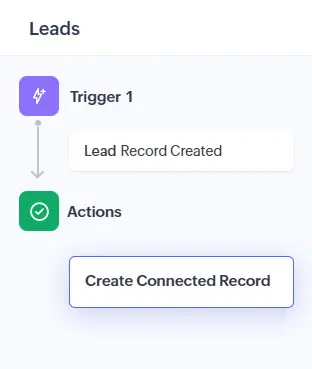
Solution: A connected workflow now updates the relevant fields across modules, create a follow-up task and Zoho CRM automatically sends an email to the sales manager to initiate the onboarding process with the customer.
Benefits:
– hours saved in automatically generated coordination emails
– closed actions gaps across roles
Solution: 30 days prior customer license expiration, sales receives an Email alert with necessary information in it to engage renewal.
Benefits:
– Drastic time saved by sales people and admin manager in firefighting
– Drastic drop in missing renewal date
– Improved cashflow thanks to earlier renewals
– Better renewal rate from customer relationship consistency
Solution: A workflow routes incoming leads by zip code and set priority.
Benefits:
– Secretary focuses on valuable tasks
– Sales receive leads in real time
– No more impact from secretary absence
– Error probability down to zero
How Workflows Work in Zoho CRM
Workflow Rules, Connected Workflows, Blueprints, and Command Center.
This page focuses on Workflow Rules and Connected Workflows, which are:
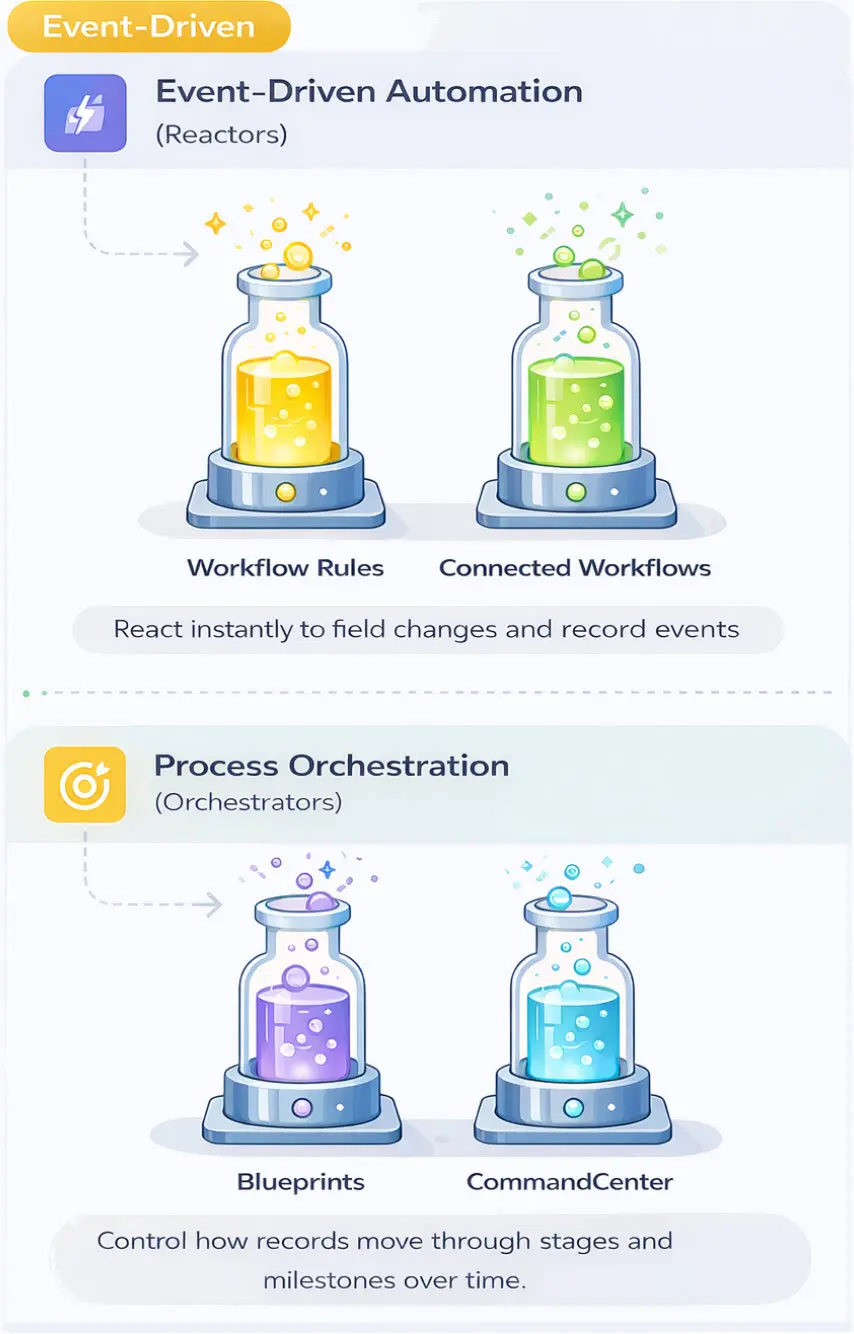
Workflow Rules: Vertical Automation Logic
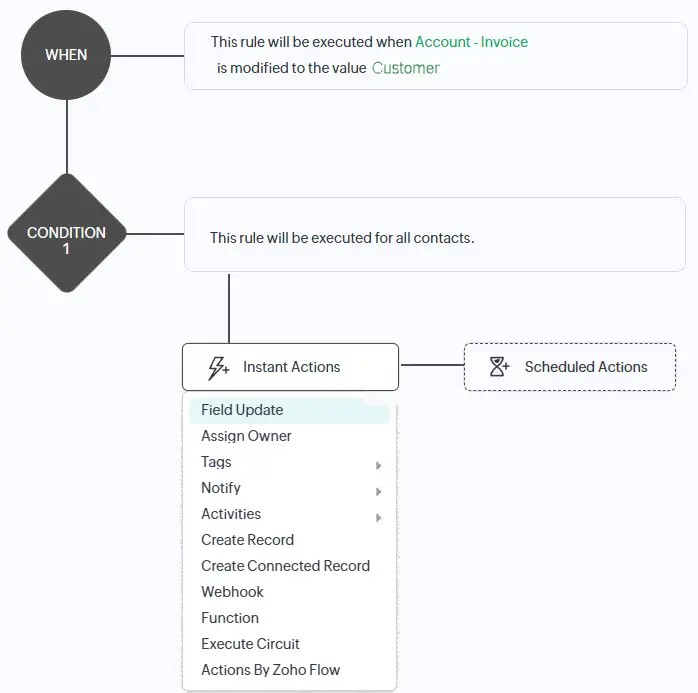
They include conditions that determine when the trigger should run, ensuring the automation executes only in the specific scenarios it is designed to handle.
When multiple outcomes are required, several conditions can be defined for the same trigger—for example, sending different emails based on the selected value of a picklist field.
The available instant actions are extensive.
As shown in the screenshot, beyond common actions such as field updates, record creation, and email notifications, workflow rules also support internal logic and external system calls. These can be implemented using functions, webhooks, or Zoho Flow depending on business needs and internal practices.
Connected Workflows: Horizontal Cross-module Automation Logic
They allow conditions to be evaluated on multiple records before actions are executed, making it possible to verify field states across modules and update records only when all criteria are met.
This makes connected workflows particularly effective for scenarios where consistency between related records matters, without changing the underlying automation logic.
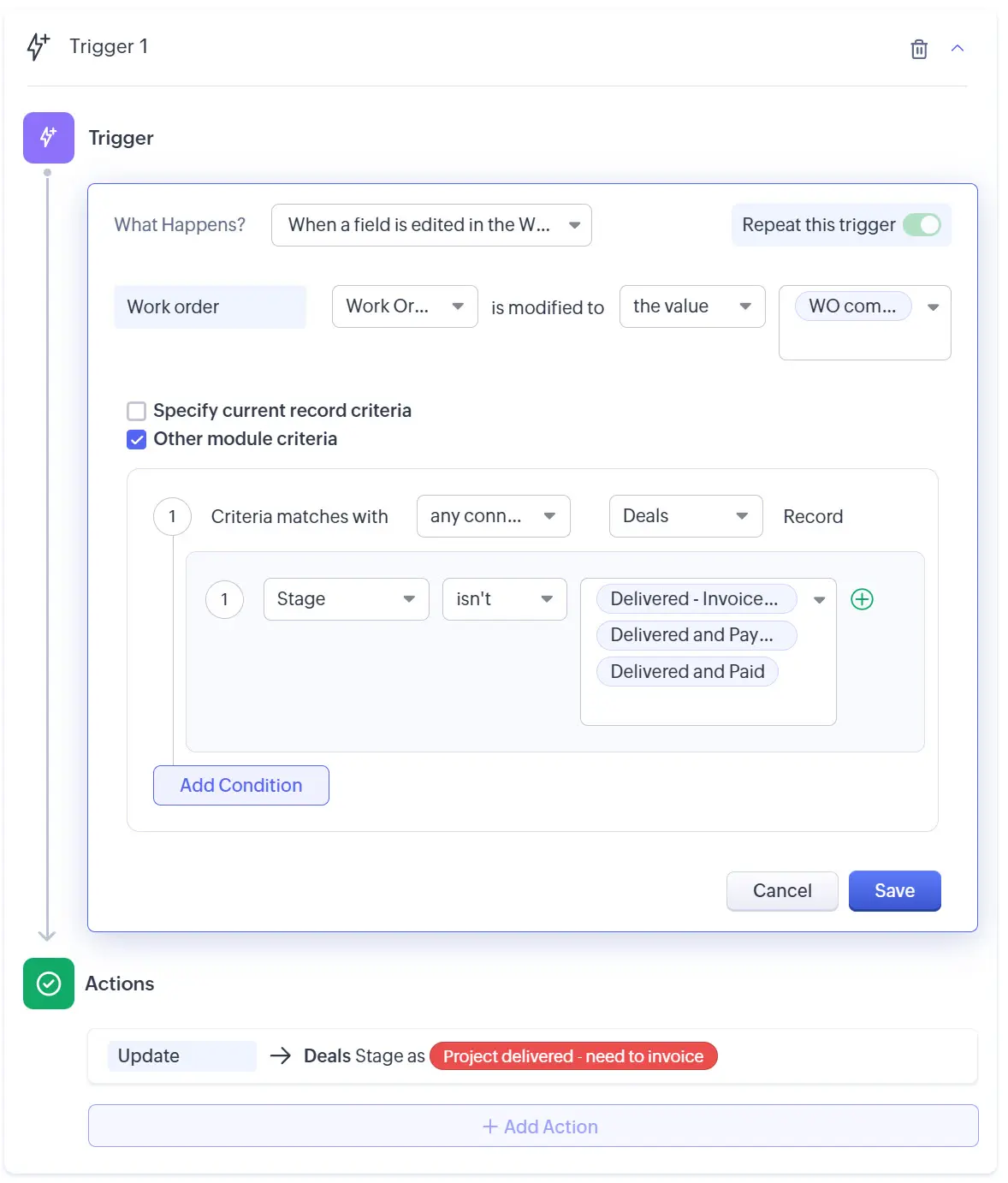
This ensures consistent account data without requiring users to perform additional manual checks.
Best Practices for Setting Up Zoho Workflows rules and connected workflows
How Workflows Improve Adoption and Transparency
Counter-intuitively, automation helps teams focus on high-value tasks that can’t be automated: customer meetings, lead calls, demos, proof of concepts, and projects. Not only does this make people’s work more interesting, it also reduces the cognitive load caused by low-value manual tasks that require constant accuracy. As a result, people stay focused on value and have more energy to perform well in their roles.
And here are the benefits for your business:
Need help with your Zoho CRM automations?
FAQ
How many workflows can Zoho CRM handle?
The number varies by plan, but Zoho’s built-in limits are designed to exceed normal business needs, allowing most teams to build automation without concern about hitting a ceiling.
In practice, the only limitation we have encountered is the cap of 10 actions per workflow rule, which can be easily addressed by splitting logic across multiple rules.
How can I test workflows before going live?
You can test workflows in Zoho CRM in two ways, depending on what you need to validate.
Option 1: Testing with test records in production
You create test records in the live CRM and trigger the workflow on them.
This approach is simple and reflects real behavior, especially for notifications and emails, which are a common requirement in workflows.
However, it lacks full traceability of changes and usually requires cleaning up test data afterward.
Option 2: Testing in a Zoho CRM Sandbox
A Sandbox provides a protected environment to build and test workflows without affecting production data.
This offers better control and traceability of changes, but comes with limitations—particularly around email notifications, mail merge, and scripts with external connections. As a result, final validation often still needs to happen in production.
In practice, Sandboxes are the cleaner way to design and structure workflows, while production testing is often necessary to fully validate notifications and real-world behavior.
What mistakes businesses can make when implementing new Zoho workflows?
The most common mistakes typically fall into the following areas:
- Implementation workflow without thorough analysis of the edge cases
- Using workflows when Zoho blueprints or Zoho command center would be more suitable to orchestrate actions
- Using a poor naming convention leads to struggle as the number of workflows grows
How do Zoho Workflows differ from Blueprints and Command Centers?
Workflows are designed to trigger automated actions based on predefined conditions. They execute immediately when those conditions are met, regardless of the broader business process. This makes workflows highly punctual and event-driven.
Blueprints, by contrast, guide users through defined process stages and approvals.
CommandCenters coordinate actions across stages and systems, reacting to process progression rather than single events.